

Dataset Format
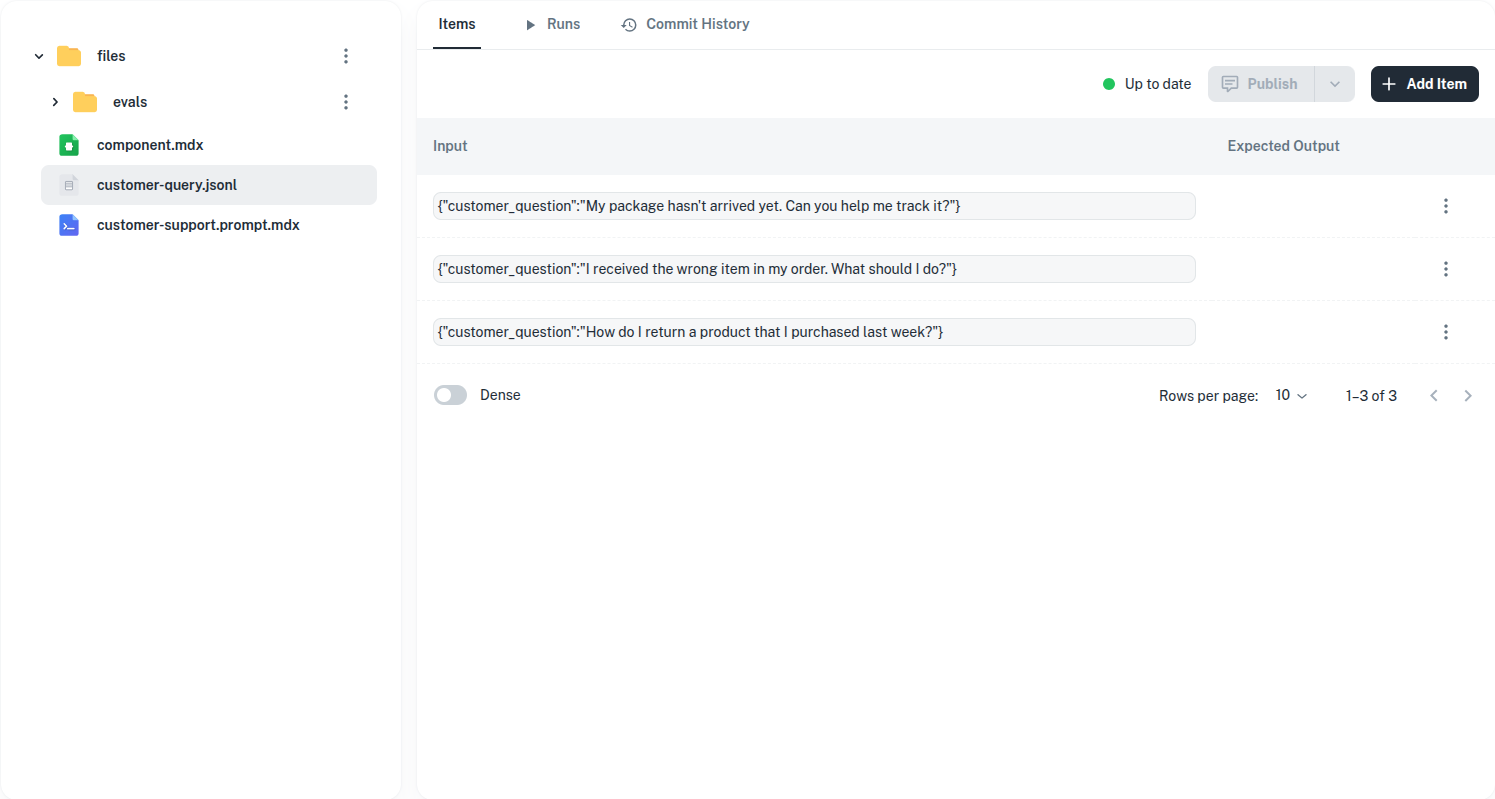
Datasets use JSONL (JSON Lines) format — one JSON object per line. Each object has:| Field | Type | Required | Description |
|---|---|---|---|
input | Record<string, unknown> | Yes | The input props to pass to the prompt |
expected_output | string | No | The expected output for evaluation comparison |
The
input field is an object whose keys match the prompt’s expected props. For example, if your prompt uses {props.question}, your dataset items need {"input": {"question": "..."}}.Creating Datasets
In the Platform UI
- Navigate to the Testing section in your AgentMark dashboard
- Click Create Dataset
- Add items with input props and optional expected outputs
- Save the dataset
As Local Files
Create a.jsonl file in your project and reference it in your prompt’s frontmatter:
datasets/sentiment.jsonl
prompt.mdx
Running Datasets
From the Platform
Run a dataset against a prompt directly from the dashboard. AgentMark executes each item and displays the results, including inputs, outputs, and traces.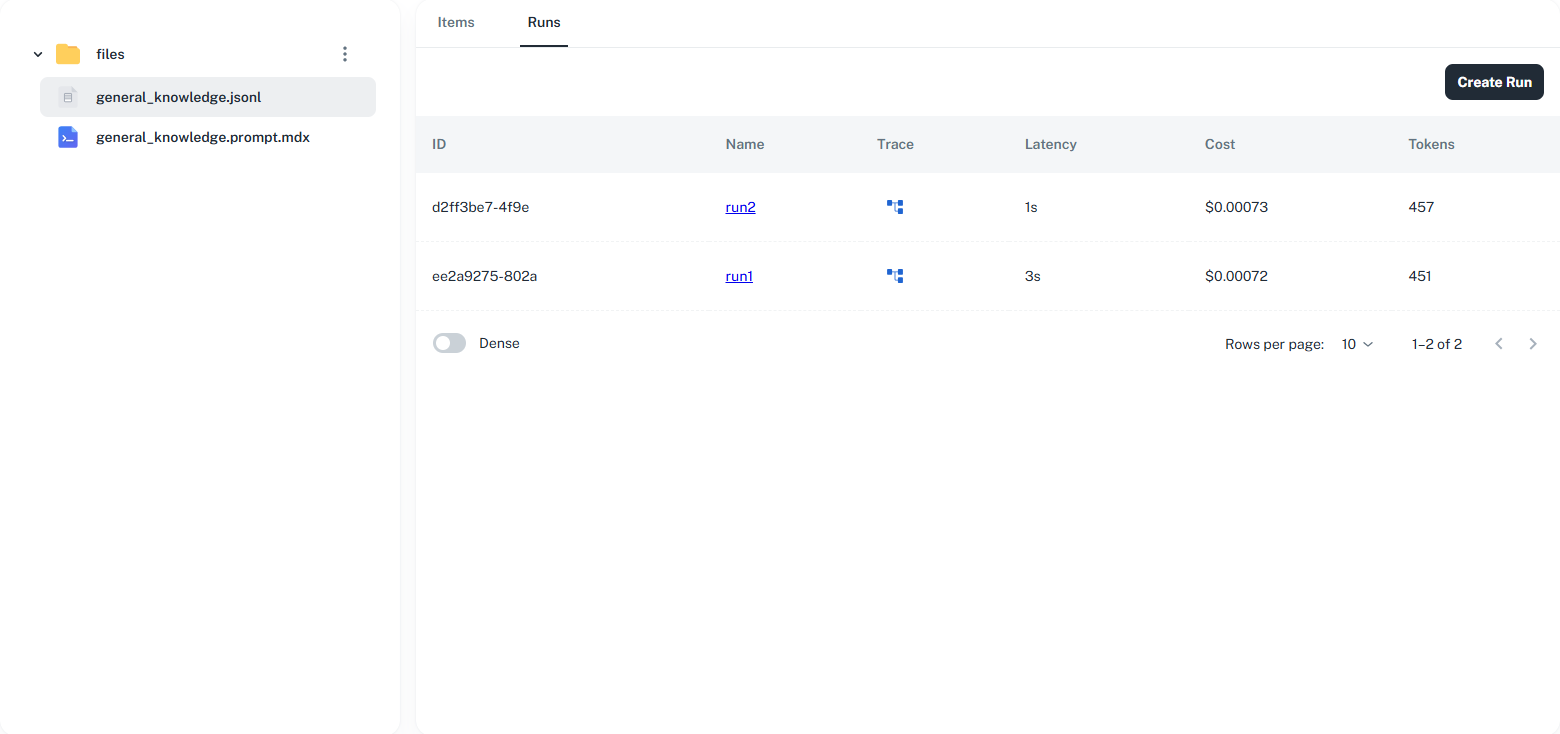
From the CLI
Use therun-experiment command to run a prompt against its configured dataset:
Viewing Results
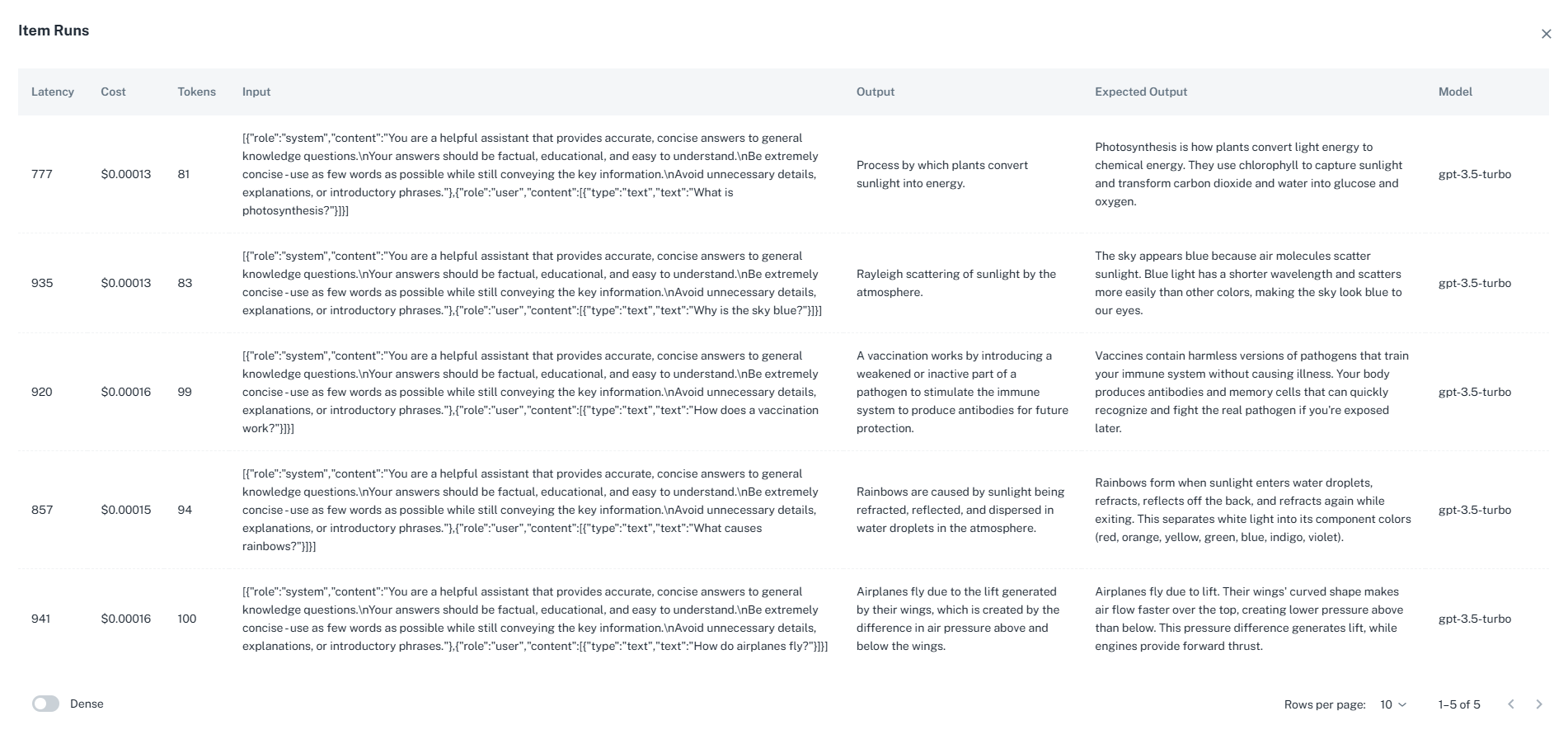
After running a dataset, view detailed results for each item:- Input and Output — See the input provided and the output generated
- Expected vs. Actual — Compare the prompt’s output against expected values
- Traces — View the full execution trace for each item, including token usage and latency
- Eval Scores — If evaluations are configured, see scores alongside each result
Best Practices
- Start small — Begin with 10–20 test cases covering common scenarios, then expand
- Include edge cases — Test boundary conditions, empty inputs, and unusual formats
- Use real data — Base test cases on actual production inputs when possible
- Version control datasets — Store
.jsonlfiles alongside your prompts in source control - One case per line — Keep each JSONL entry on a single line for easy diffing
- Anonymize sensitive data — Remove PII before adding production data to datasets
Have Questions?
We’re here to help! Choose the best way to reach us:
- Join our Discord community for quick answers and discussions
- Email us at hello@agentmark.co for support
- Schedule an Enterprise Demo to learn about our business solutions