

- Cloud
- Local
Experiments in the Dashboard
The Dashboard runs experiments using the evals registered on your hosted client. Open Experiments (flask icon) in the sidebar to get started.Running an experiment from the Dashboard requires the app to have a hosted client registered: the runner that calls your SDK. If it isn’t, the dialog returns an “app not connected” error. See Client setup to build and host the client (Connect your SDK for the executor it calls).
Browse the experiments list
The Experiments page is a paginated list of every run in your app. Filter it by prompt name and dataset path to find a specific run.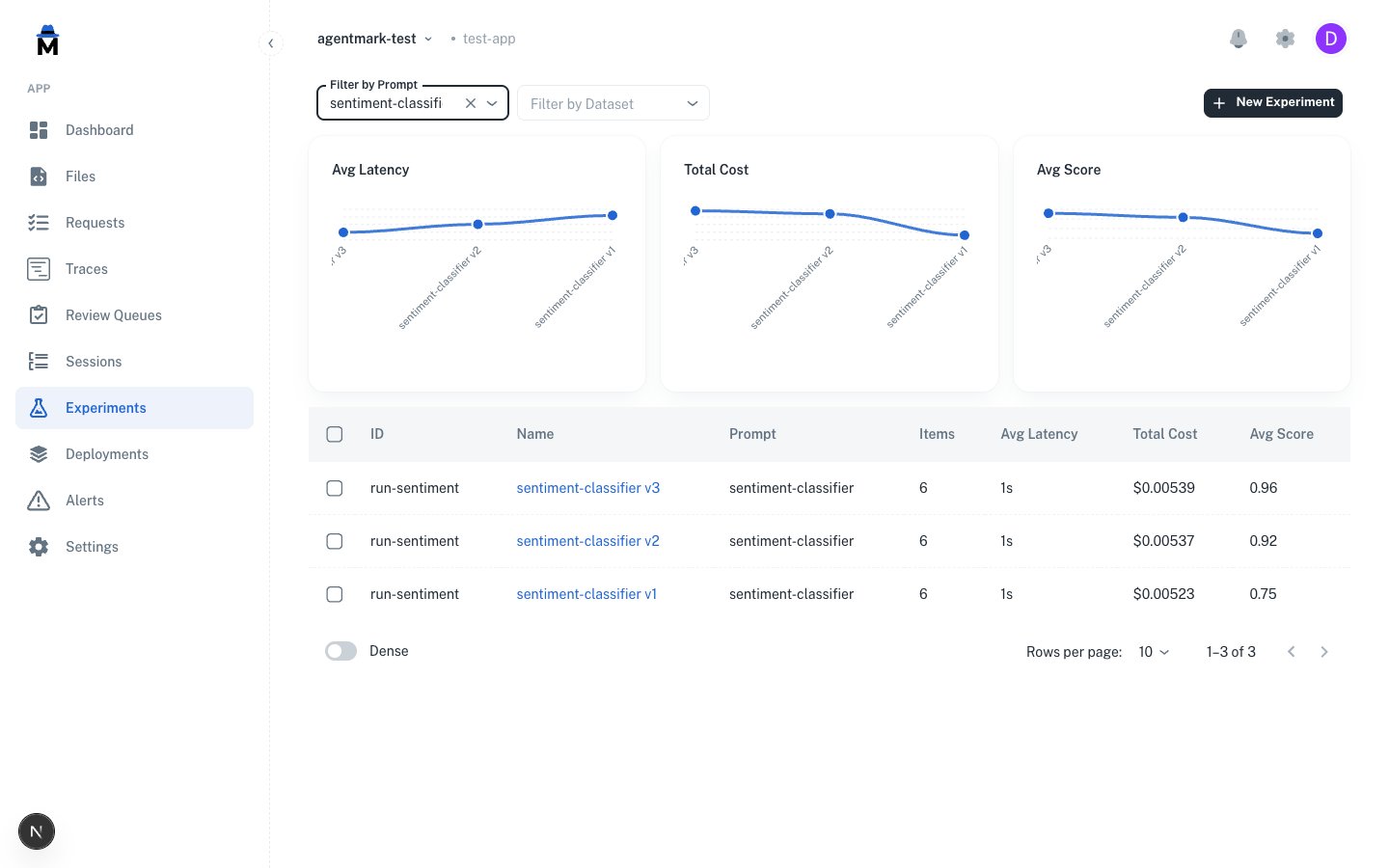
experiment.run permission.Create and run an experiment
Click New Experiment to open the dialog.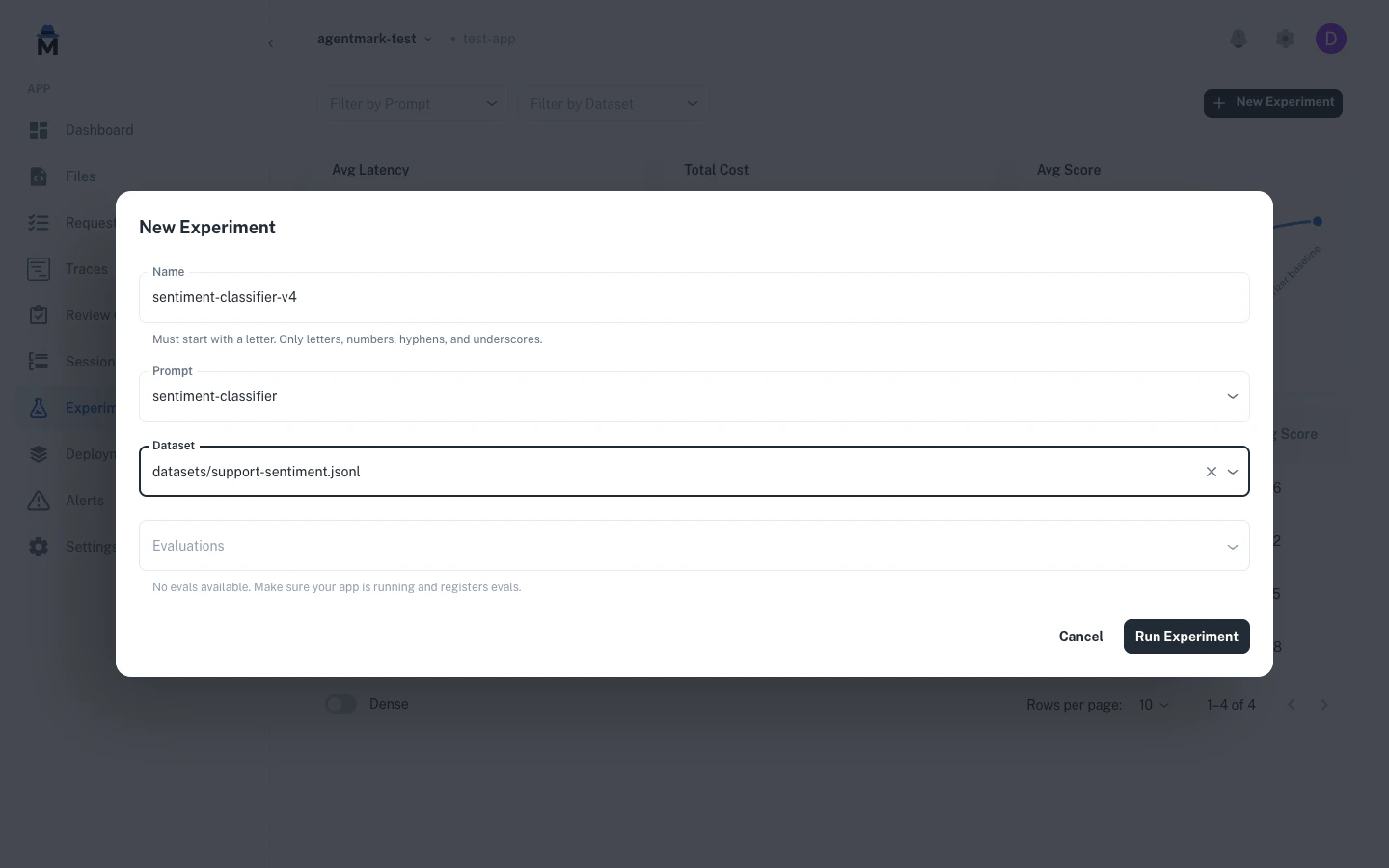
test_settings frontmatter.The Name must start with a letter and may contain letters, numbers, hyphens, and underscores, up to 100 characters.1
Name the experiment
Enter a Name that starts with a letter.
2
Choose a prompt
Pick the Prompt to test. The Dataset and Evaluations auto-fill from its
test_settings.3
Confirm dataset and evaluations
Adjust Dataset and Evaluations if you want to run against a different dataset or eval set.
4
Run
Click Run Experiment. Results stream in live, then open in the experiment detail view.
Read the experiment detail
Click any experiment to open its detail view.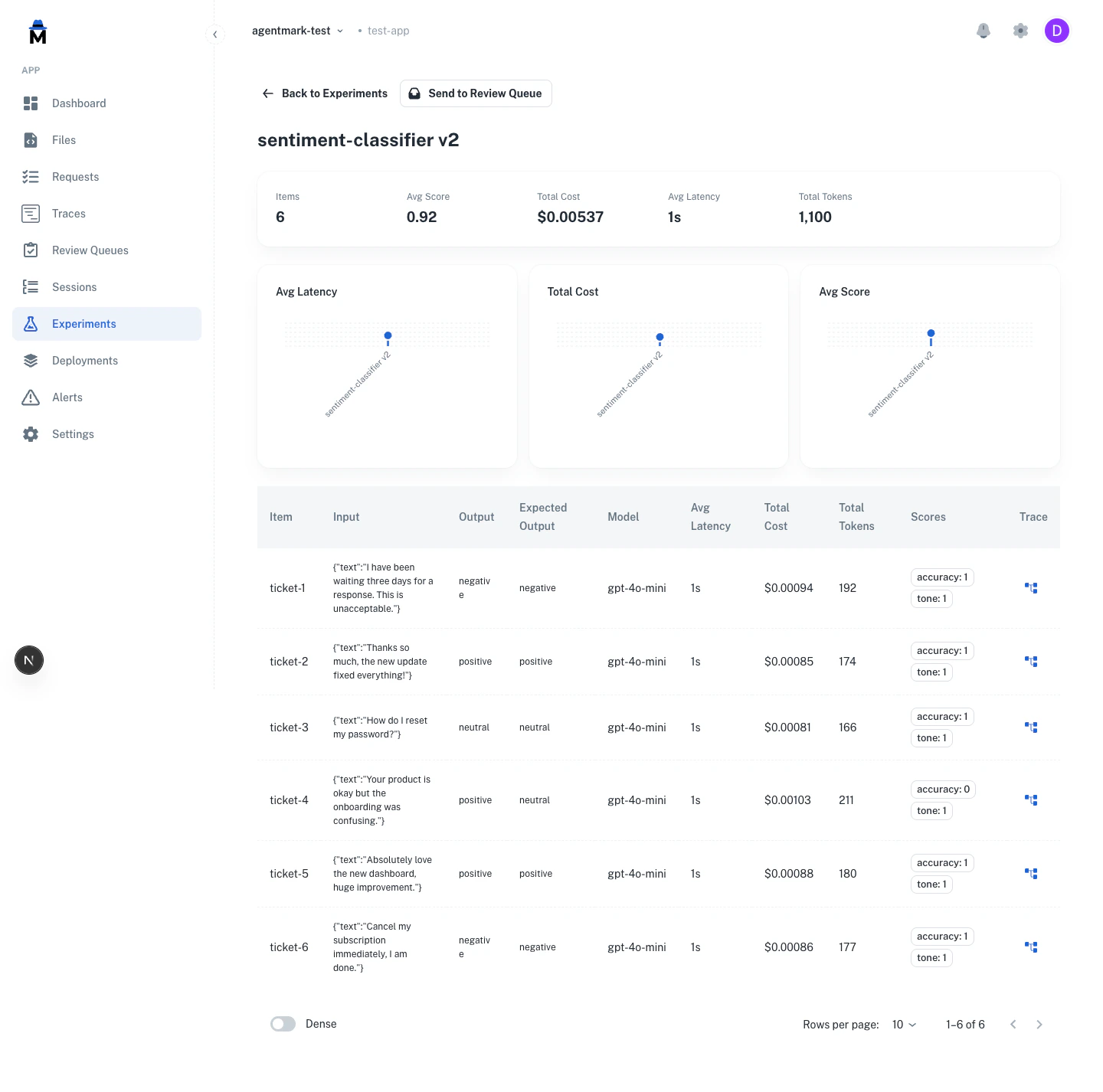
Compare runs
Select 2 to 3 experiments in the list, then click Compare to view them side by side.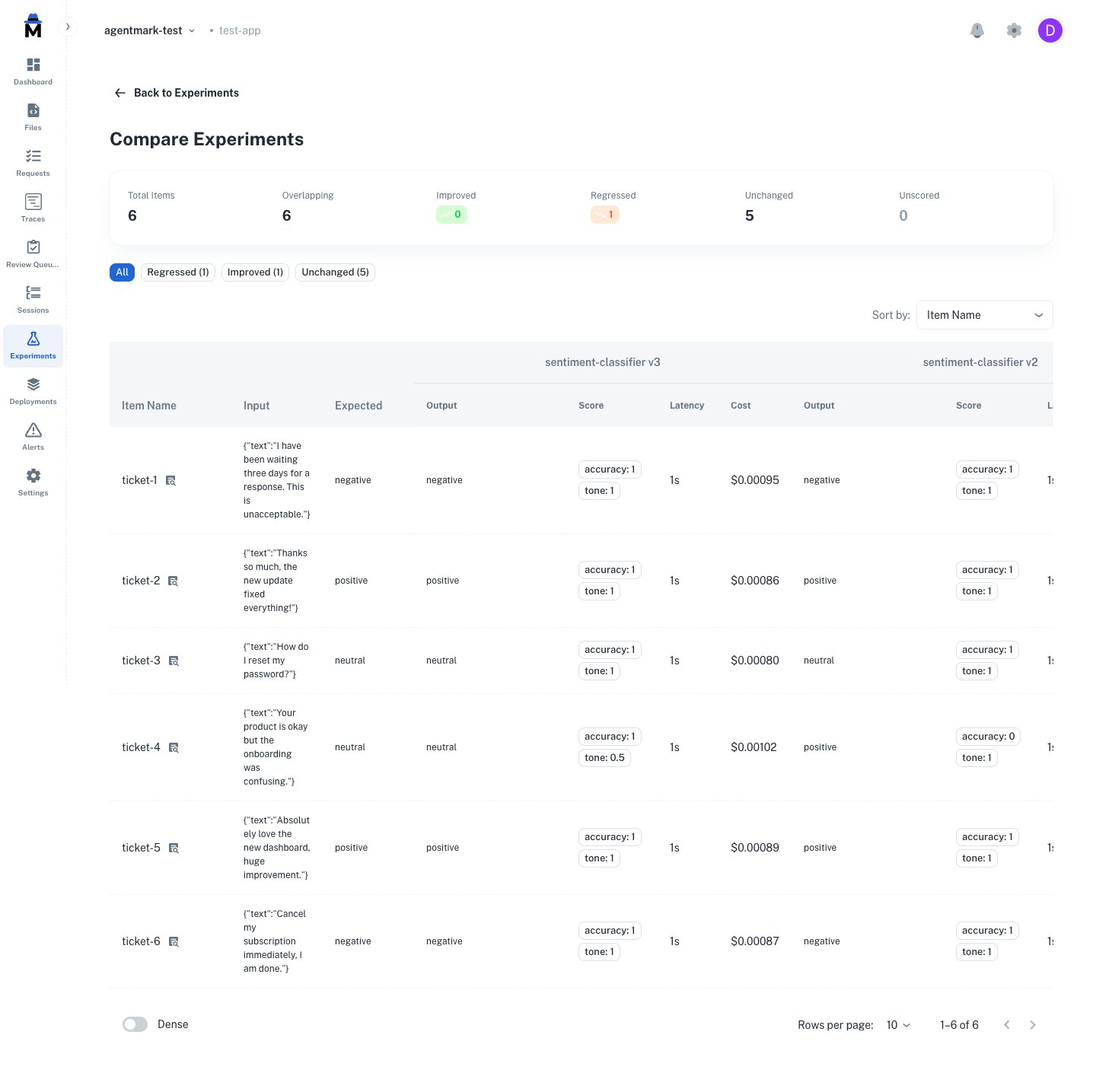
Next steps
Datasets
Create test datasets
Evaluations
Write evaluation functions
Testing overview
Learn testing concepts
Have questions?
Reach out any time:
- Email the team at hello@agentmark.co for support
- Schedule an Enterprise Demo to learn about AgentMark’s business solutions