

dev, that tracks your branch HEAD live. Create staging and prod to give the same app its own API keys, environment variables, and traces per environment.
For the model behind this (what “pinned” means and why dev is special), see Environments. This page covers the steps.
The dev environment
Every app has exactly one default environment, named dev, created automatically with the app. Two behaviors matter when you work with it:
- It tracks branch HEAD live.
devalways reflects your connected branch’s current commit. - You can’t delete it. The default env stays locked for the lifetime of the app.
Creating an environment
Open the environment dropdown in the breadcrumb at the top of the Dashboard and click New environment.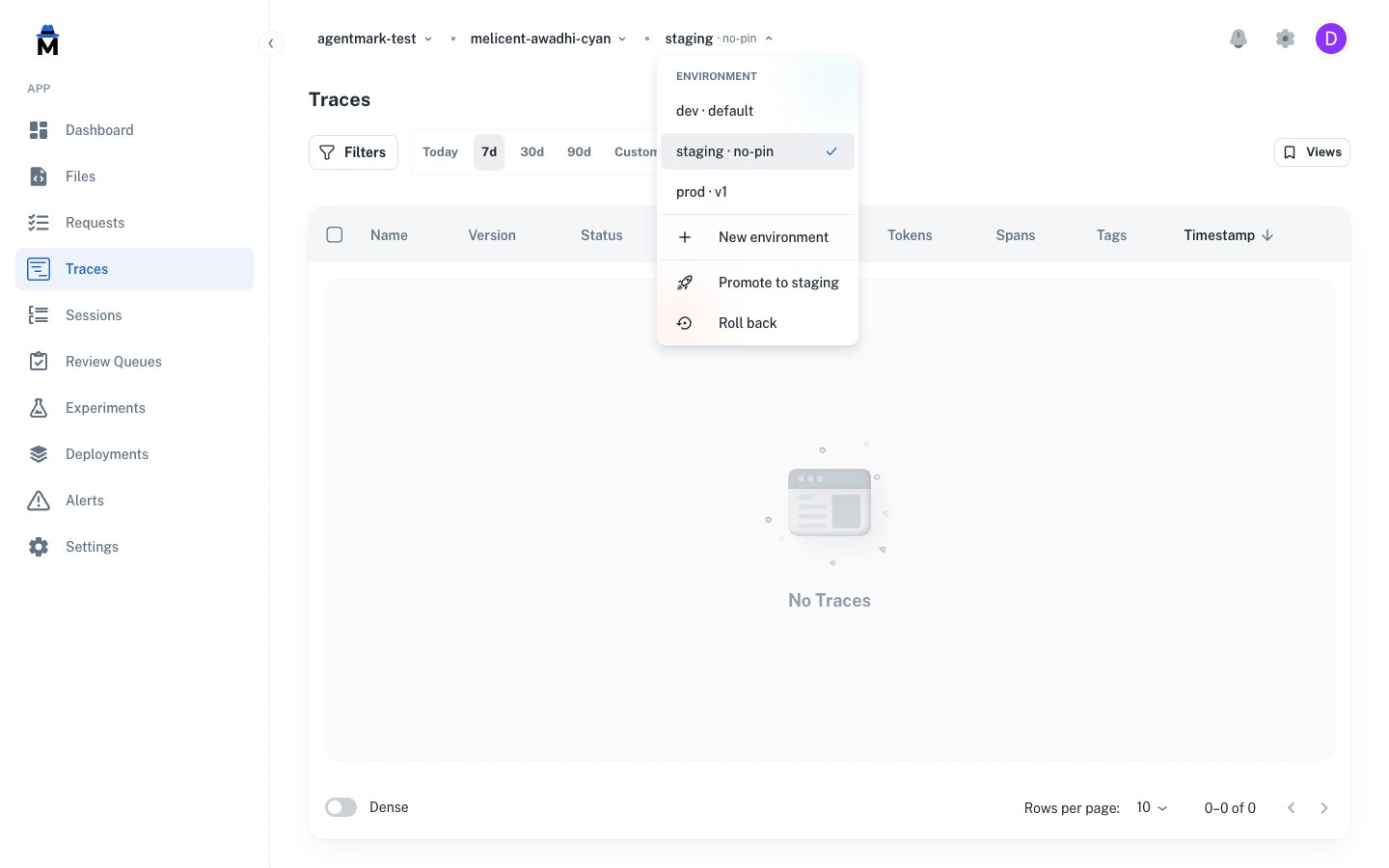
^[a-z][a-z0-9-]{1,39}$: lowercase letters, digits, and hyphens, starting with a letter, 2–40 characters. Common choices are staging, prod, preview, eu, tenant-acme.
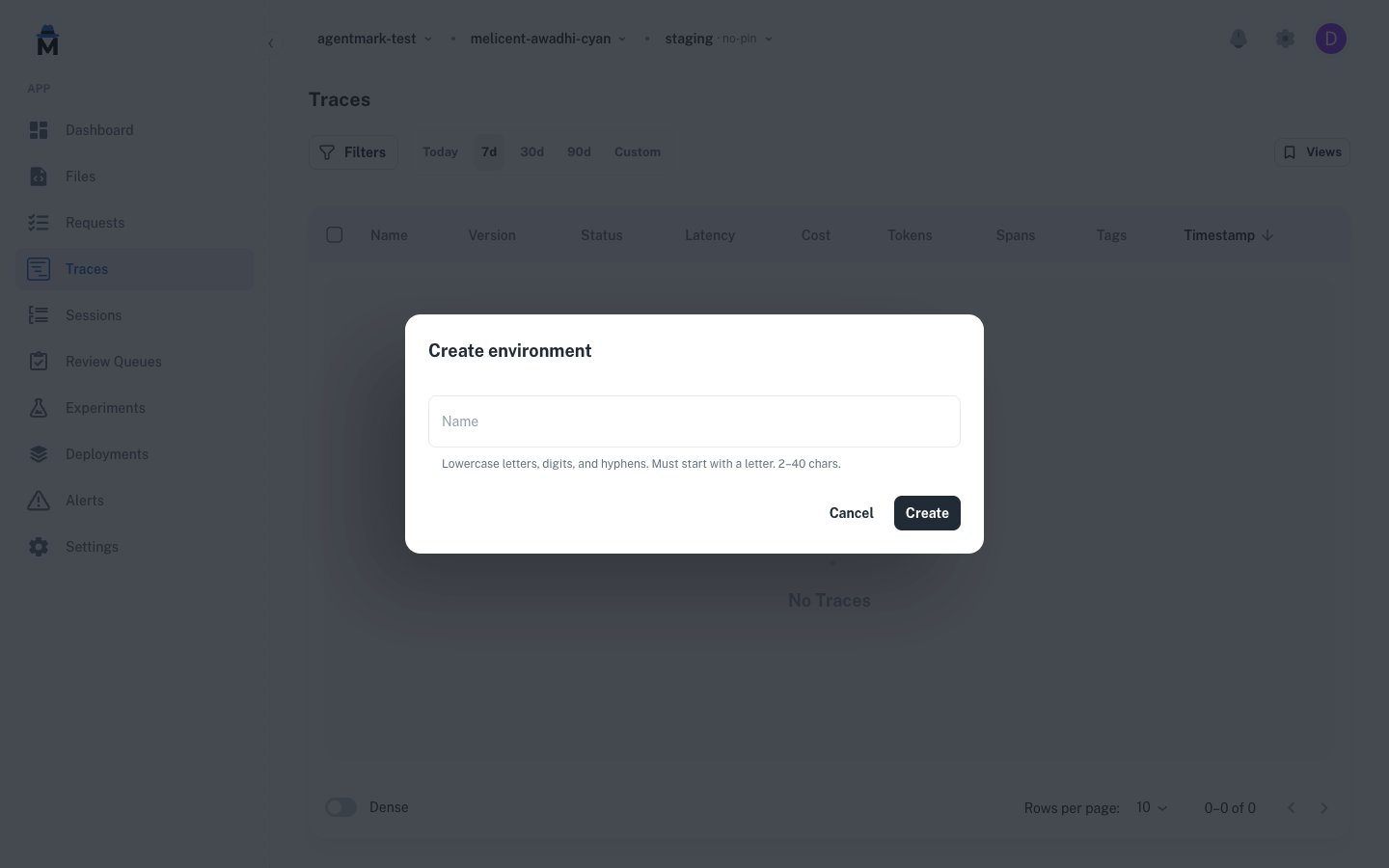
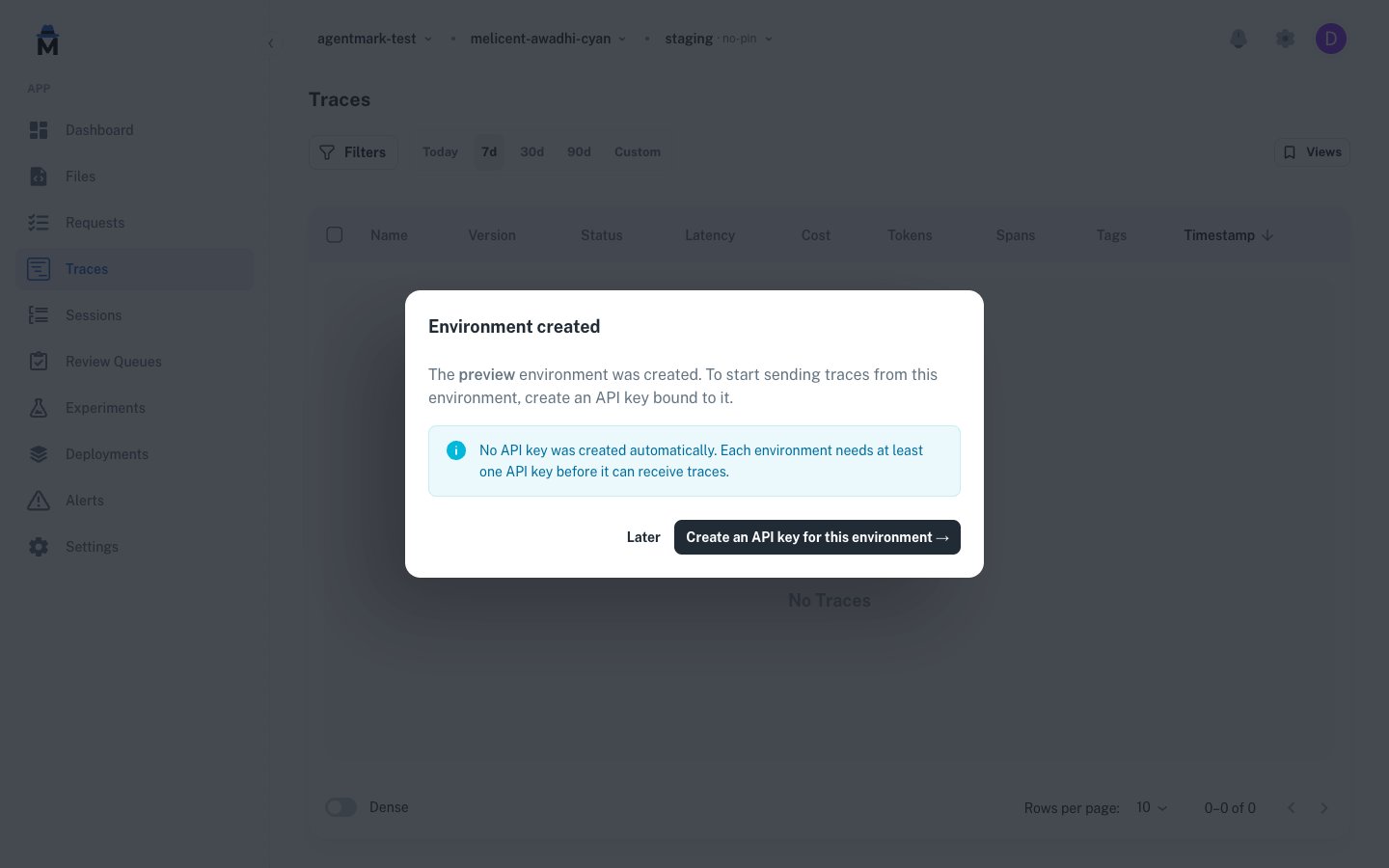
Permissions
These per-app permissions gate environment actions:
See Users and access control for how permissions roll up into roles, and API keys for scoping a key to a specific env.
API reference
The same actions are available over the API. Every endpoint operates on the app passed in theX-Agentmark-App-Id header. See the API reference under the Environments tag for full request and response schemas.
Related reading
- API keys: each environment has its own keys
- Users and access control: env permissions and roles
- Regression gates: fail a CI build when scores regress against a baseline
Have questions?
Reach out any time:
- Email the team at hello@agentmark.co for support
- Schedule an Enterprise Demo to learn about AgentMark’s business solutions