> ## Documentation Index
> Fetch the complete documentation index at: https://puzzlet-9ba7bb98.mintlify.site/llms.txt
> Use this file to discover all available pages before exploring further.
# Environments
> Run the same app across isolated environments like dev, staging, and prod.
A new app starts with one environment, `dev`, that tracks your branch HEAD live. Create `staging` and `prod` to give the same app its own API keys, environment variables, and traces per environment.
For the model behind this (what "pinned" means and why `dev` is special), see [Environments](/concepts/environments). This page covers the steps.
## The `dev` environment
Every app has exactly one default environment, named `dev`, created automatically with the app. Two behaviors matter when you work with it:
* **It tracks branch HEAD live.** `dev` always reflects your connected branch's current commit.
* **You can't delete it.** The default env stays locked for the lifetime of the app.
## Creating an environment
Open the environment dropdown in the breadcrumb at the top of the Dashboard and click **New environment**.
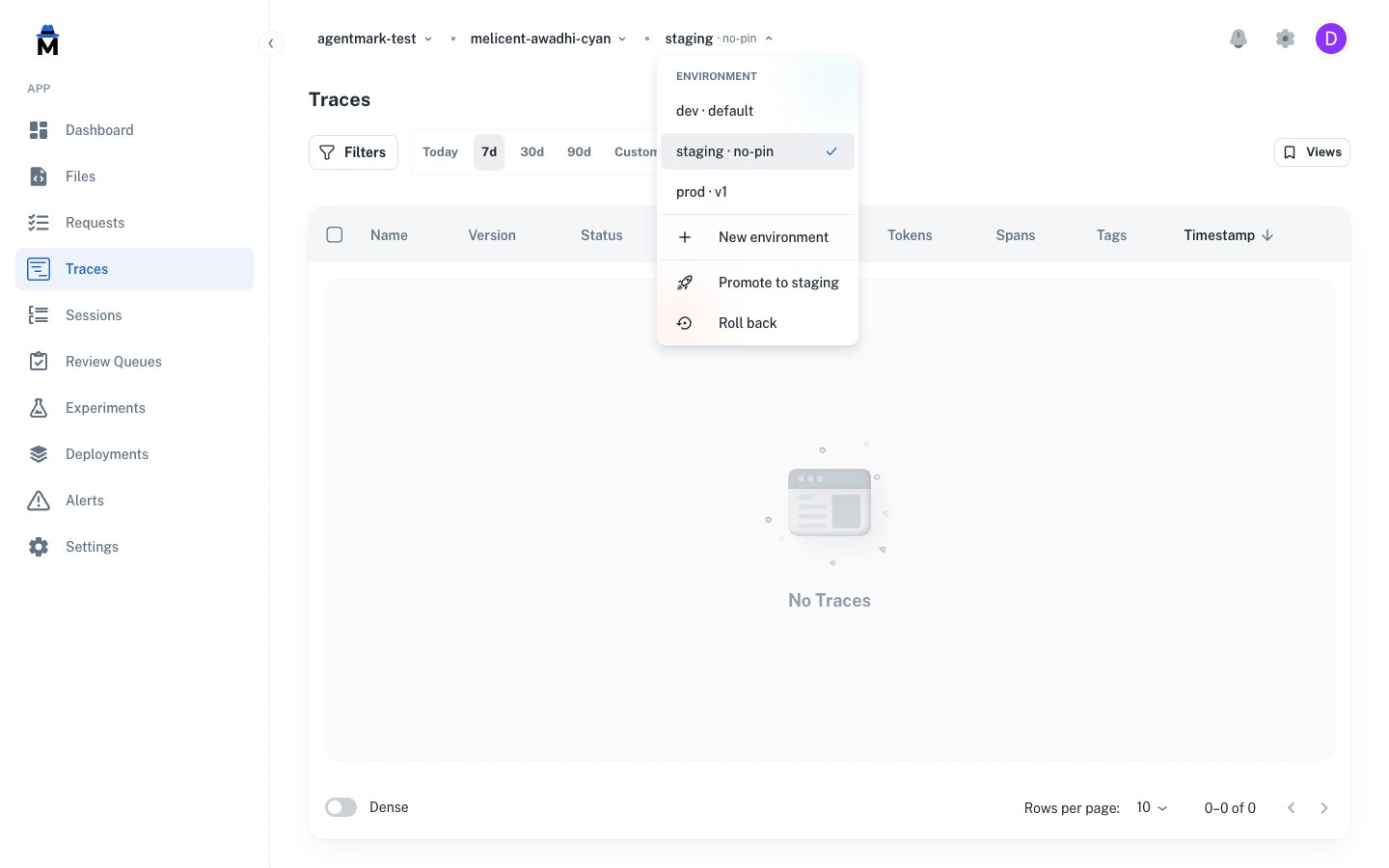 The dropdown shows every env on the app and hosts **New environment** for creating another one.
Names must match `^[a-z][a-z0-9-]{1,39}$`: lowercase letters, digits, and hyphens, starting with a letter, 2–40 characters. Common choices are `staging`, `prod`, `preview`, `eu`, `tenant-acme`.
The dropdown shows every env on the app and hosts **New environment** for creating another one.
Names must match `^[a-z][a-z0-9-]{1,39}$`: lowercase letters, digits, and hyphens, starting with a letter, 2–40 characters. Common choices are `staging`, `prod`, `preview`, `eu`, `tenant-acme`.
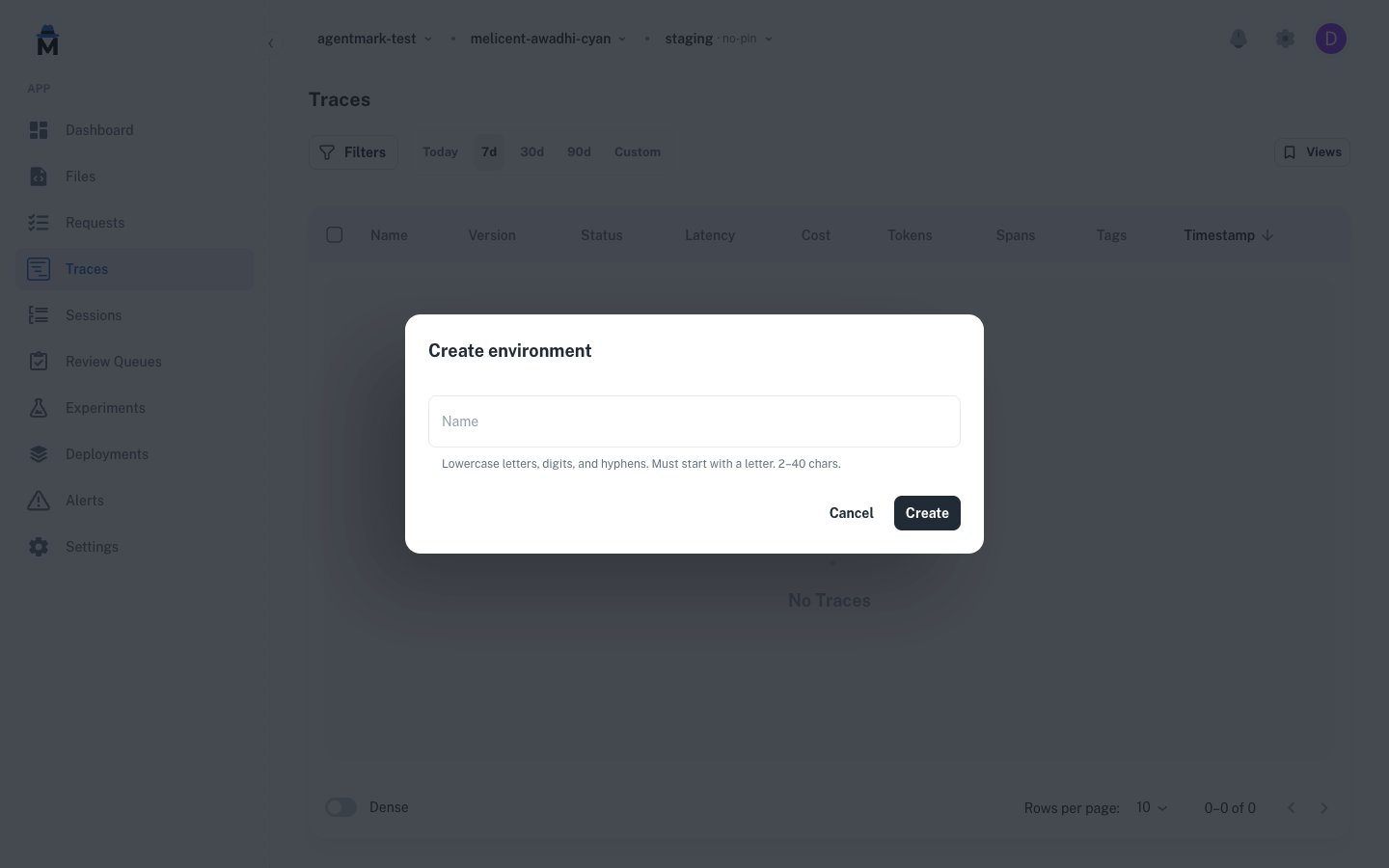 A newly-created env starts in the **no-pin** state, with no pinned version yet.
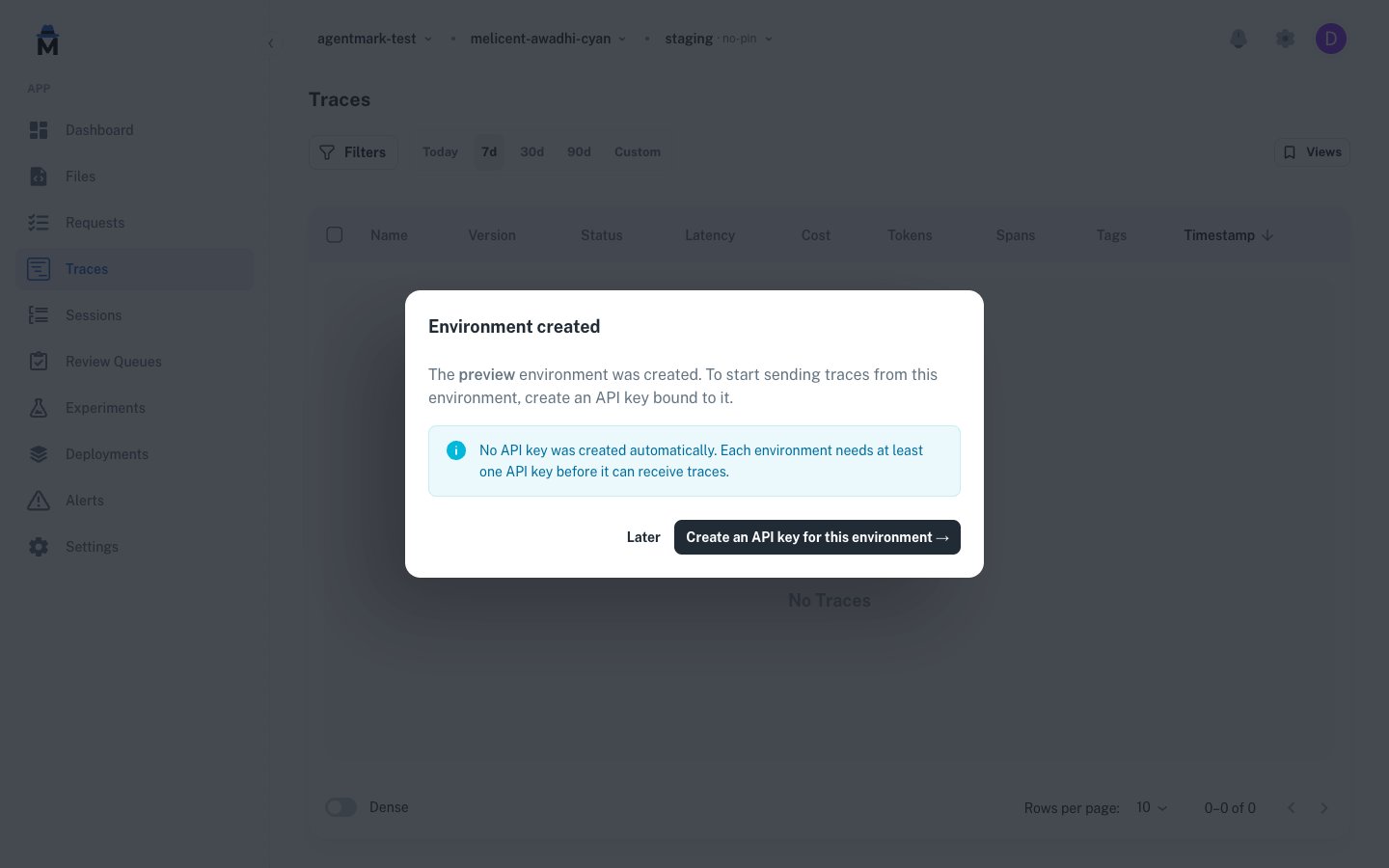
Creating an env doesn't auto-mint an API key. The post-create dialog links straight to the [API keys](/deploy/api-keys) page filtered to the new env so you can mint one scoped to it. A key pinned to one env can't reach another env's traces, templates, or datasets, so a `prod` key can't reach `staging`. A key scoped to environment **kinds** instead reaches every env of those kinds (including future PR previews) and picks the target per request: see [API key environment scope](/api-reference/authentication#api-key-environment-scope).
A newly-created env starts in the **no-pin** state, with no pinned version yet.
Creating an env doesn't auto-mint an API key. The post-create dialog links straight to the [API keys](/deploy/api-keys) page filtered to the new env so you can mint one scoped to it. A key pinned to one env can't reach another env's traces, templates, or datasets, so a `prod` key can't reach `staging`. A key scoped to environment **kinds** instead reaches every env of those kinds (including future PR previews) and picks the target per request: see [API key environment scope](/api-reference/authentication#api-key-environment-scope).
 Environments per app are tier-limited: 1 on Free, 3 on Growth, 5 on Team, and configurable on Enterprise. The default `dev` env counts toward the limit, so on Free it consumes the only slot and creating any additional environment fails with a message naming your current plan. See [Billing and usage](/deploy/billing-and-usage#usage-limits).
## Permissions
These per-app permissions gate environment actions:
| Permission | Action |
| -------------------- | --------------------------------------------------------------- |
| `environment.read` | See the env dropdown and per-env settings |
| `environment.insert` | Create a new environment |
| `environment.delete` | Delete a non-default environment (with typed-name confirmation) |
See [Users and access control](/deploy/users-and-access-control) for how permissions roll up into roles, and [API keys](/deploy/api-keys) for scoping a key to a specific env.
## API reference
The same actions are available over the API. Every endpoint operates on the app passed in the `X-Agentmark-App-Id` header. See the [API reference](/api-reference/overview) under the Environments tag for full request and response schemas.
| Method | Path | Description |
| -------- | ----------------------- | ----------------------------------------------------------------------- |
| `GET` | `/v1/environments` | List environments for the app (default env first) |
| `POST` | `/v1/environments` | Create a non-default environment |
| `GET` | `/v1/environments/{id}` | Get one env, including a cascade-preview for delete |
| `DELETE` | `/v1/environments/{id}` | Delete a non-default env (requires typed-name confirmation in the body) |
## Related reading
* [API keys](/deploy/api-keys): each environment has its own keys
* [Users and access control](/deploy/users-and-access-control): env permissions and roles
* [Regression gates](/deploy/regression-gates): fail a CI build when scores regress against a baseline
Environments per app are tier-limited: 1 on Free, 3 on Growth, 5 on Team, and configurable on Enterprise. The default `dev` env counts toward the limit, so on Free it consumes the only slot and creating any additional environment fails with a message naming your current plan. See [Billing and usage](/deploy/billing-and-usage#usage-limits).
## Permissions
These per-app permissions gate environment actions:
| Permission | Action |
| -------------------- | --------------------------------------------------------------- |
| `environment.read` | See the env dropdown and per-env settings |
| `environment.insert` | Create a new environment |
| `environment.delete` | Delete a non-default environment (with typed-name confirmation) |
See [Users and access control](/deploy/users-and-access-control) for how permissions roll up into roles, and [API keys](/deploy/api-keys) for scoping a key to a specific env.
## API reference
The same actions are available over the API. Every endpoint operates on the app passed in the `X-Agentmark-App-Id` header. See the [API reference](/api-reference/overview) under the Environments tag for full request and response schemas.
| Method | Path | Description |
| -------- | ----------------------- | ----------------------------------------------------------------------- |
| `GET` | `/v1/environments` | List environments for the app (default env first) |
| `POST` | `/v1/environments` | Create a non-default environment |
| `GET` | `/v1/environments/{id}` | Get one env, including a cascade-preview for delete |
| `DELETE` | `/v1/environments/{id}` | Delete a non-default env (requires typed-name confirmation in the body) |
## Related reading
* [API keys](/deploy/api-keys): each environment has its own keys
* [Users and access control](/deploy/users-and-access-control): env permissions and roles
* [Regression gates](/deploy/regression-gates): fail a CI build when scores regress against a baseline
Have questions?
Reach out any time: